
LINK-MI LM-TV04M 2×2 Video Wall Controller & Splicing Processor in Bangladesh
When building a professional digital signage wall or a multi-screen presentation matrix, precision and ease of use are critical. However, the LINK-MI LM-TV04M Video Wall Controller is a high-performance processing unit that effortlessly scales and splits your video source across multiple monitors. Moreover, it’s powered by a high-definition processing chip, and guarantees crystal-clear 1080P output synchronization without lag or signal degradation.
Whether you are designing an impressive 2×2 display for a retail store in Dhaka or a wide 1×4 menu board, the LM-TV04M provides unmatched flexibility. It also allows users to customize a variety of splicing modes to fit their specific LCD television arrays.

Key Benefits for Your AV Installation
- Advanced Border Blanking Technology: Eliminate the frustrating visual “stretch” that occurs across monitor bezels. So, the processor adjusts the image deformation with built-in border blanking to make the visual transition between screens look much more natural.
- Built-in USB Media Decoding: You don’t need to configure other front-end equipment to display content. Simply, insert a U disk into the standard USB 2.0 interface to directly decode and play videos, pictures, MP3 audio, and TXT documents. It also supports round robin play, pause, and fast forward functions.
- Massive Scalability: A single unit manages up to 4 screens seamlessly. So, multiple products can be cascaded together to achieve a maximum of 255 signal outputs for massive stadium or arena displays.
- Dynamic Flying Subtitles: Enhance your marketing messages using the built-in flying subtitle function. Using the control software via the RS-232 communication interface, you can also set up rolling subtitles and easily adjust the text’s rolling position, scroll speed, font size, text color, and background color.
- 180-Degree Screen Flipping: The processor supports any splicing screen to perform a 180-degree flip. So, it’s especially useful if you need to mount your top row of TVs upside down to minimize the bezel gap between screens.
What’s in the Box?
Your LINK-MI LM-TV04M comes complete with the following installation accessories:
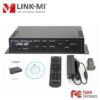
- 1x Video Wall Controller Unit
- 1 set ear mount (for rack or wall installation)
- 1pcs 12V power adapter
- 1pcs CD Disk (Control Software)
- 1pcs Infrared Remote Controller
- 1pcs RS232 adapter
- 1pcs User Manual

Technical Specifications
| Specification | Details |
| Model | LM-TV04M |
| Splicing Modes | 2×2, 1×4, 4×1 |
| HDMI Input | HDMI 1.4 (HDCP 1.3), DVI 1.0, HDMI embedded audio |
| DVI Input | DVI-I interface (24+5), maximum resolution support 1920×1080/60HZ |
| VGA Input | HD15 interface; Support 640×480/85HZ to 1920×1200/60HZ |
| HDMI Output | 4 HDMI outputs, maximum resolution support 1920×1080/60HZ |
| Audio Output | 3.5 audio interface, supporting stereo and audio/video synchronization switch |
| Control Modes | Remote Control, Front panel buttons, RS-232 |
| Power Supply | DC 12V – 3A |
| Power Dissipation | 50W |
| Chassis Dimensions | 210mm (length) * 160mm (width) * 45mm (height) |
| Weight | 1.2Kg |
LINK-MI LM-TV04M Price in Bangladesh
Because commercial video wall controllers are highly specialized AV integration tools, the LINK-MI LM-TV04M price in Bangladesh is typically quoted based on specific B2B project requirements and current import logistics.
Please contact our corporate sales and AV engineering team today. We can also provide you with an accurate quotation, verify current stock availability, and offer technical advice to ensure your display wall is configured perfectly.

Frequently Asked Questions
- Why is my screen displaying a “no signal” error after connection?
Please check whether the signal line is fully plugged in. If the issue persists, attempt to restart the device to recapture the signal, or try replacing the signal cable entirely.
- Why is my image blurry or showing double images?
If the screen is very blurred or showing a double image after the connection is completed, check that the input and output signal lines are normal and verify whether the equipment is working properly. Ensure the connection lines between the product and the supporting display aren’t too long, as this may also affect performance and image quality.
- Why can’t I access the main menu?
If the main menu is unavailable, check whether the subtitle function is currently turned on. When the subtitle function is open, the menu will be unavailable until the subtitles are turned off. You can also use the “SUBTITLE” button on the front panel or remote to toggle this.
- How far does the remote control reach?
The system’s infrared remote control supports setting, switching, and adjusting functions from a distance of up to 7 to 10 meters.

Reviews
There are no reviews yet.